
They opened a materials channel and deliver their training content through it.
LMS for companies, with an AI teacher
Company accounts anduploading materials arefree.You only pay once learning starts.An LMS for companies, with an AI teacher.
Upload PDFs, PowerPoint files and videos, get everything ready inside your company, and then start. The AI teacher stays with learners when they don't understand something, and training staff get automatic progress tracking and reminders.
No card needed. Your company's own environment is ready in about 1 minute.
11 languages — for teams around the world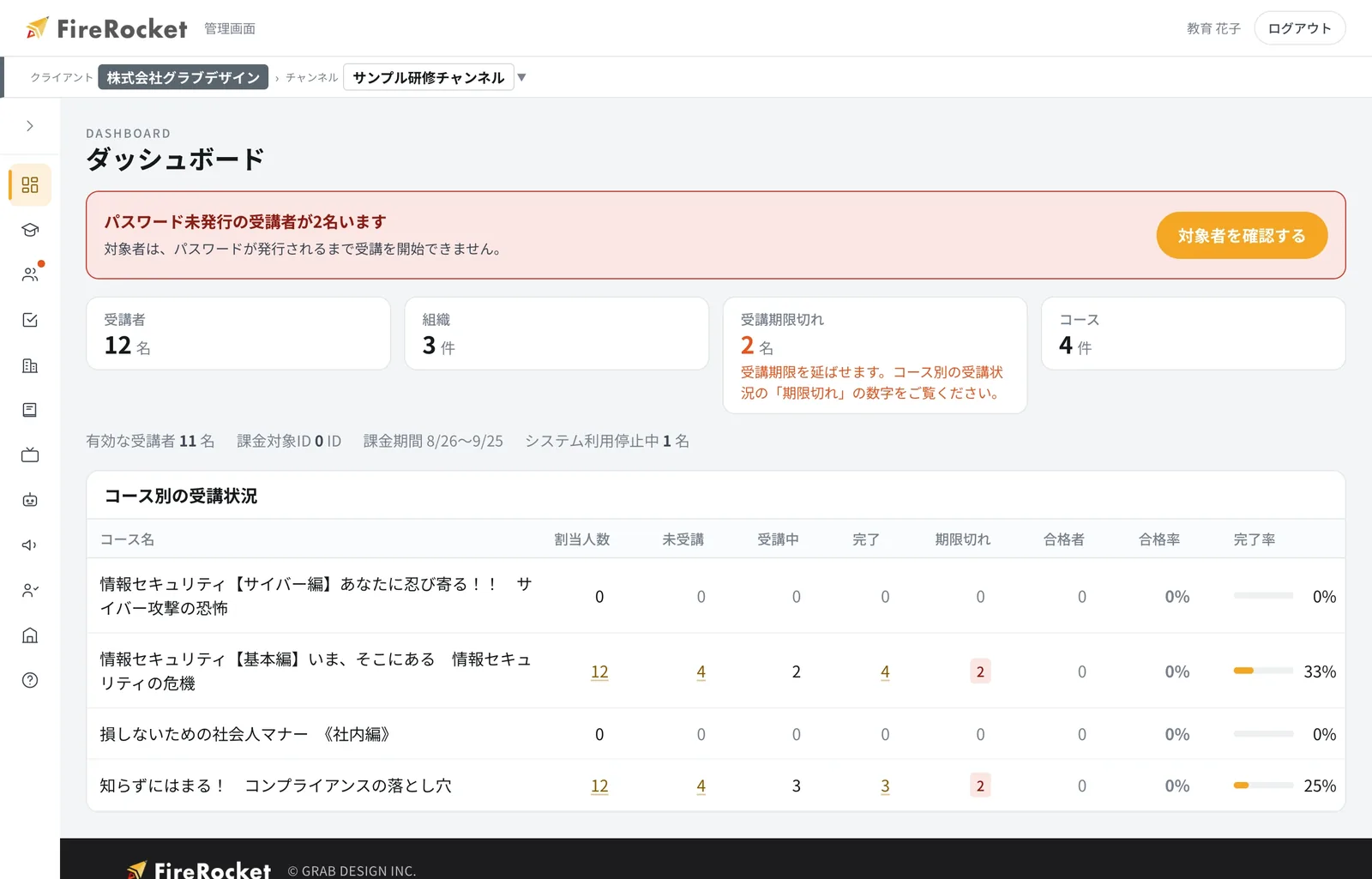
95%Learner satisfaction with 共感講座®
GLOBAL READY
11 languages!For teams around the world.
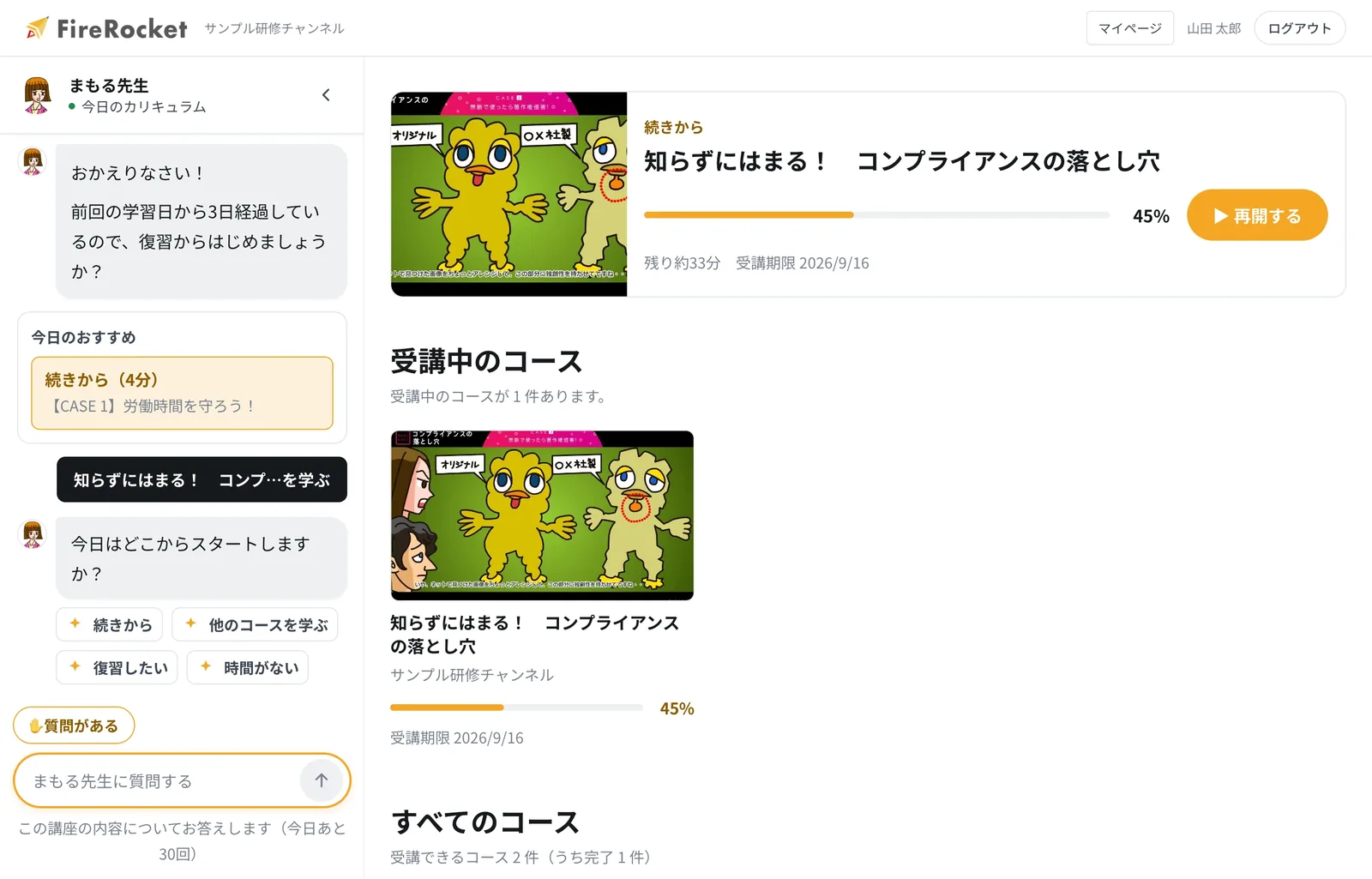
FireRocket screens appear in 11 languages, matching the browser language setting. Companies with overseas sites or multinational teams can run all their training on one LMS.
- The browser language is detected on first access, and you can change it by hand at any time.
- Course materials (course names, questions, explanations, video subtitles) can also be translated into 11 languages (paid option).
Supported languages
Menus, buttons, and AI Teacher text are available in 11 languages with every plan.
Translating course materials is a paid option, and you can order it language by language.
※ The sample shows a screen with the course materials also translated (paid option). Menus, buttons, and AI Teacher text appear in 11 languages even if you do not order translation.
Create your admin page for freeCalculate the priceOne LMS, even for overseas sites and multinational companies
CASE
Already running in training atmajor companies and government offices.
共感講座® and FireRocket-related services are used by more than 250 organizations, including major companies and government offices. Of these, FireRocket (this LMS) has been introduced at 22 companies in total, and training like the following is running today.
Compliance training for several thousand people, including agencies and call centers. We also handle monthly interim reports and an annual report.
FireRocket runs Otsuka Pharmaceutical's Certified Health & Productivity Management Outstanding Organization service. This project is what led us to build FireRocket.
They use 共感講座® as their training just as it is.
They use 共感講座® as their training.
JERA, the Ministry of Justice and the Cabinet Secretariat also use our services.
22Total FireRocket introductions
4Moves from another LMS
18Courses moved over
150Materials moved over (videos & slides)
321Test questions moved over
※ As of 2026年9月1日時点, counted by us. The migration figures are actual counts (the course, material and question numbers cover two companies). Automatic transfer of past learning records is not available at this time, so please contact us if you need it.
HOW IT WORKS
While you are getting ready, there is no charge.
Create your admin page, add materials and learners, check everything inside your company, and then start. Charges begin only after learners start using it.You can try it with your own materials before you ask for approval.
- 01FreeCreate your company account
Just enter your company name. Your own admin page is ready in about 1 minute. No card needed.
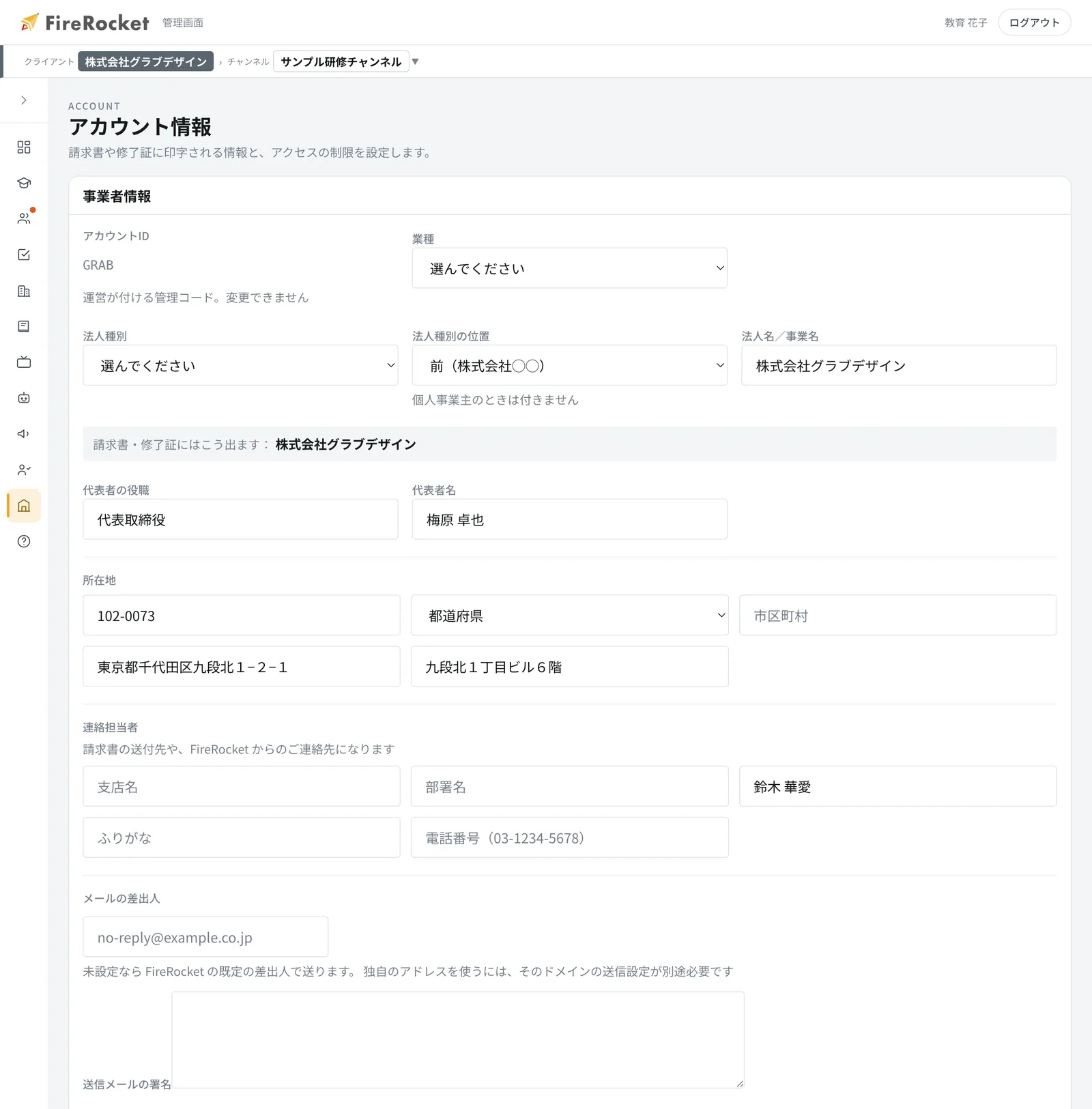
Your company's account information - 02無料Add materials and learners, then check them internally
Add videos, PDFs, slides and tests. The person in charge can review the content first, on their own.
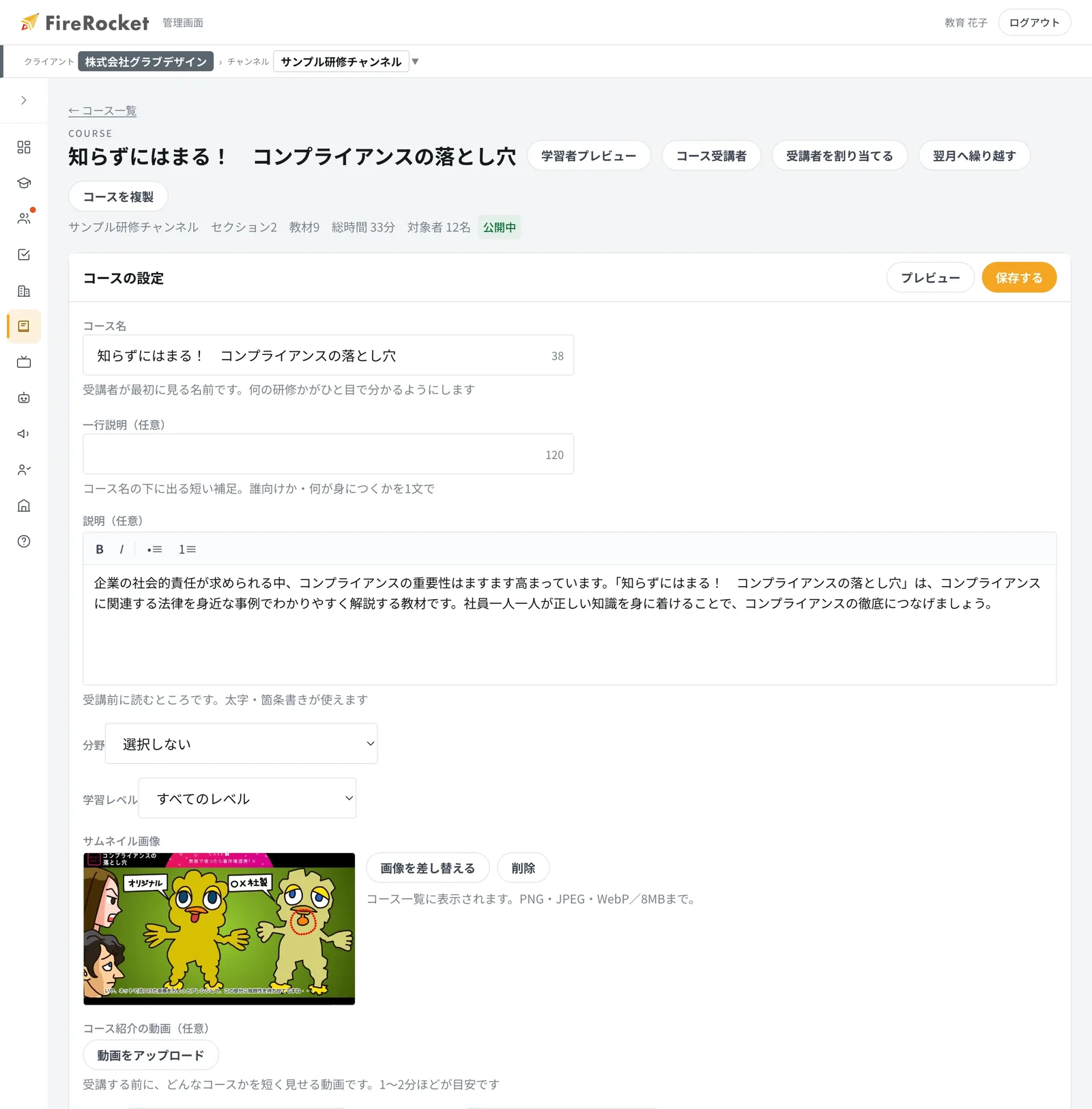
Course editing (curriculum) - 03Paid from hereSend it to learners and start studying
Billing starts when you assign courses to learners and their study begins, based on the number of users.
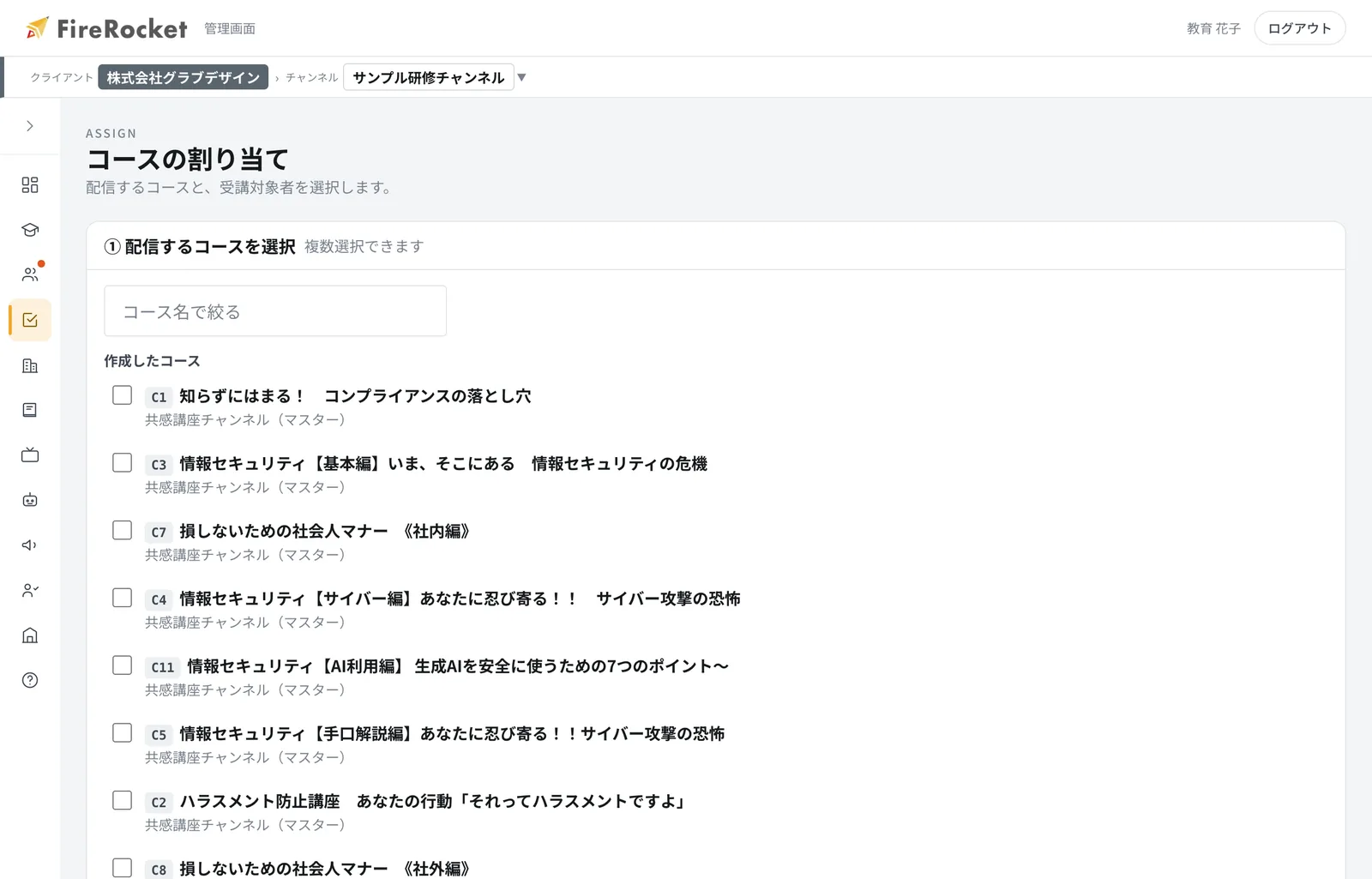
Assigning courses to learners
Create your admin page for freeNo credit card needed. About 1 minute.
WHY TRAINING DOES NOT CHANGE BEHAVIOR
Just memorizing knowledge does not build
personal ownership and judgment
don't grow
the same mistakes happen again
They have the knowledge, but cannot decide what to choose in a real situation.
does not stay with them
They stop partway through, and the learning does not stick or turn into action.
and results are hard to see
Progress and sticking points are invisible, so everything relies on the experience of one staff member.
So we change"mindset"with stories,
and change"behavior"through conversation with AI.
If you only watch a video,you move on without understanding.
With FireRocket, an AI teacher speaks to you right after you watch. You can ask about anything you did not understand, so you are never left behind.
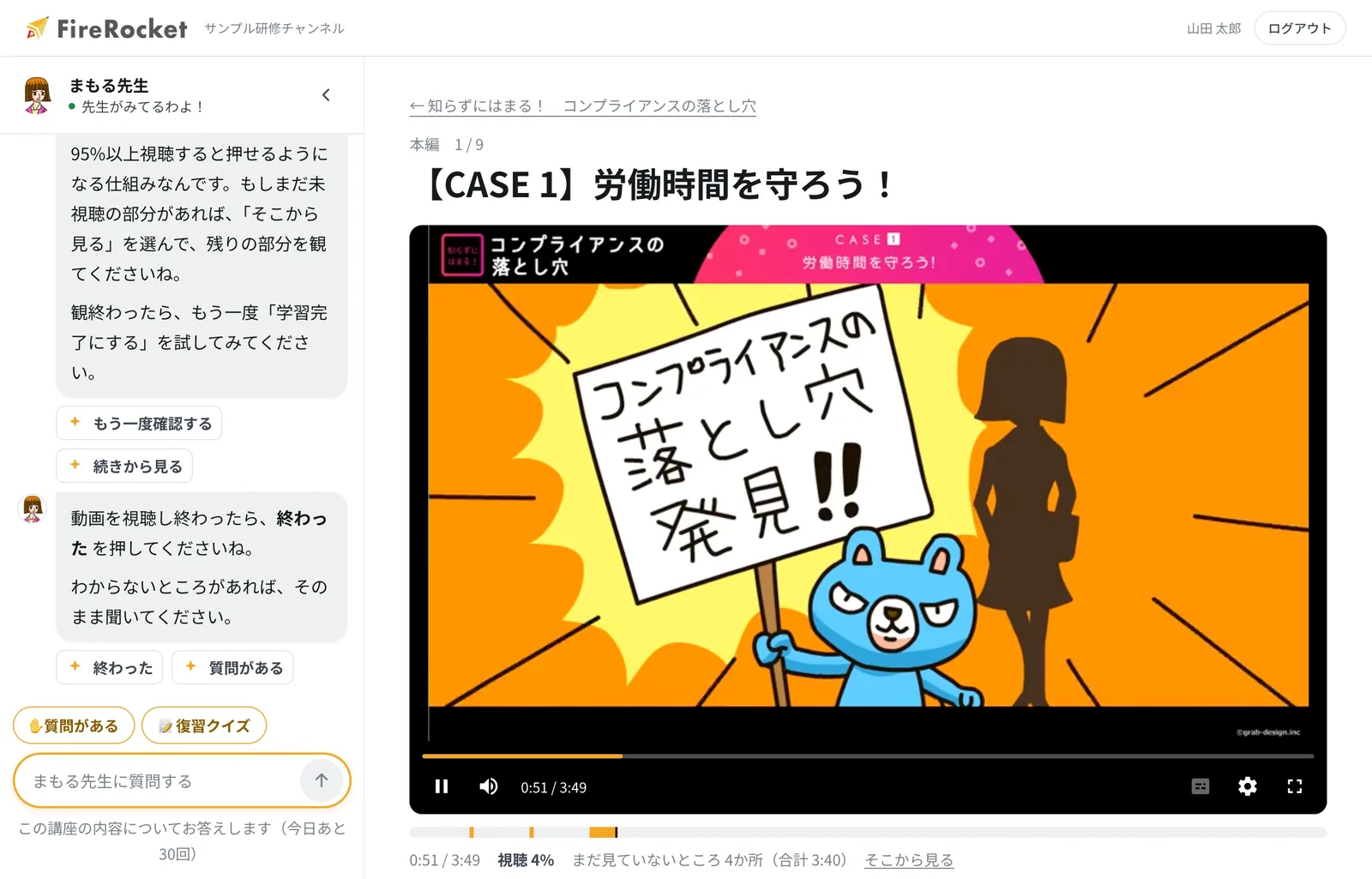
LearnerIn this situation, how should I decide?
Teacher MAMORULet's go over the key points for making that decision together, based on the material.
Teacher MAMORU📝 Review quiz! How about this question?
Which of the following is correct about Cc and Bcc?
- With Cc, the email addresses are shared with everyone who receives the email. With Bcc, the addresses are hidden from the other recipients.
- With both Cc and Bcc, the email addresses are shared with everyone who receives the email.
※ This is one example of a conversation on the actual learning screen.
Create your admin page for freeCalculate the priceNo card needed, about 1 minute. You can see the price right away.
FOR TRAINING MANAGERS
Learner managementLess manual workevery month.
Checking progress, reminding people who have not started, and making reports are all automated. You no longer have to hunt for "who has not finished," so you can focus on the training itself.
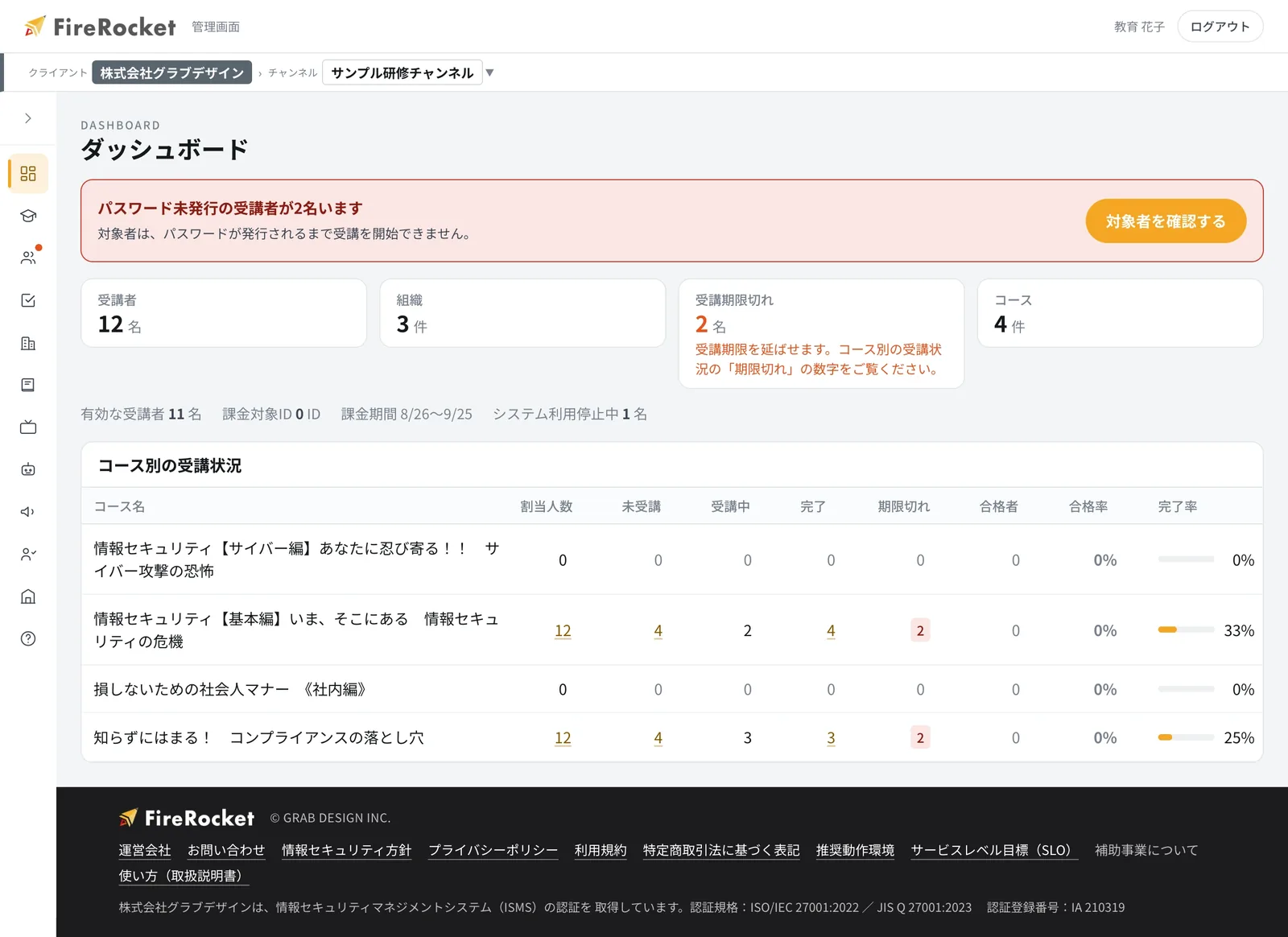
Learners who have stopped studying are notified automatically, after the number of days you set.
Create monthly interim reports and yearly reports on the spot, just by choosing the conditions.
Create your admin page for freeCalculate the priceProgress checks, reminders, and report making become automatic.
THE GRAB DESIGN METHOD
Grow people who can make decisions on the job,
with "anime × AI."
 ANIMATION TRAINING共感講座®
Change how people think, through stories.
×
 DIALOGUE-DRIVEN LMSAI Teacher
Deepen understanding and judgment, through dialogue.
=
 ORGANIZATIONAL OUTCOMELearning Outcomes
Turn learning into action at work.
Create your admin page for freeCalculate the priceNo card needed, about 1 minute. You can see the price right away.
WATCH THE KYOKAN SERIES
First,
learn with anime.
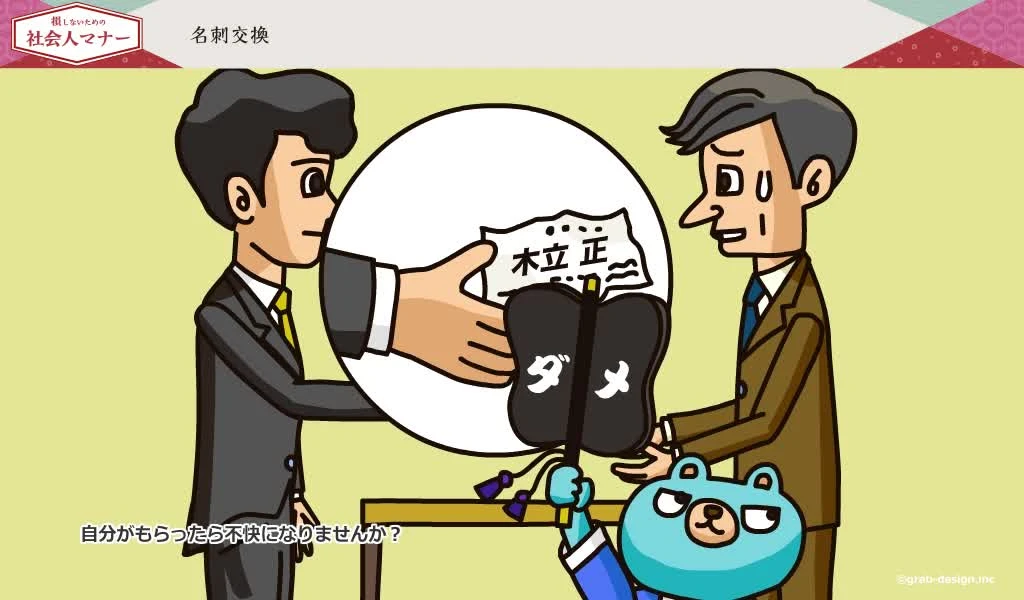
Just like YouTube, pick a topic you are interested in and watch a sample. Learn about situations that can happen at work through memorable characters and stories.
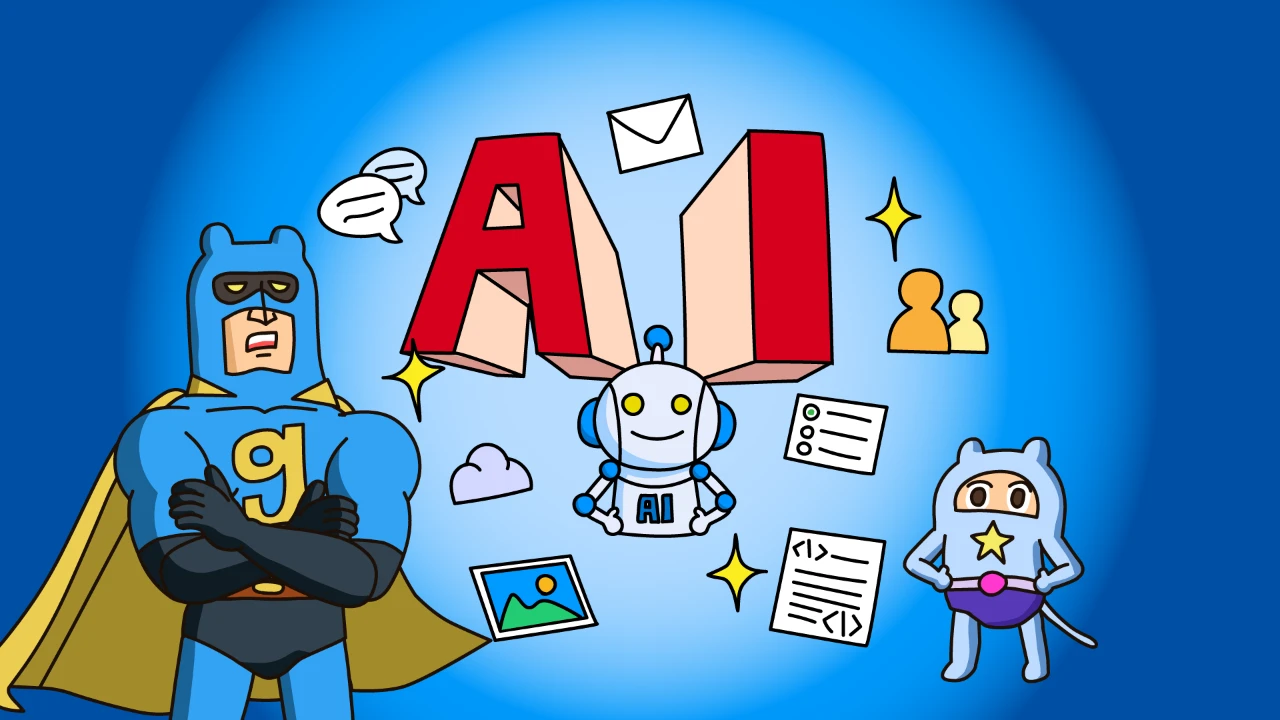
![[アニメで学ぶ]情報セキュリティ講座‐IPA「セキュリティアクション編」](https://grxdneqcllngslrtsphi.supabase.co/storage/v1/object/public/course-assets/courses/cmt4z3svc0000pscaypozon19/eyecatch-d060877a-ce71-4bc7-b5be-219ee555541b.webp)
Study smart,
get certified
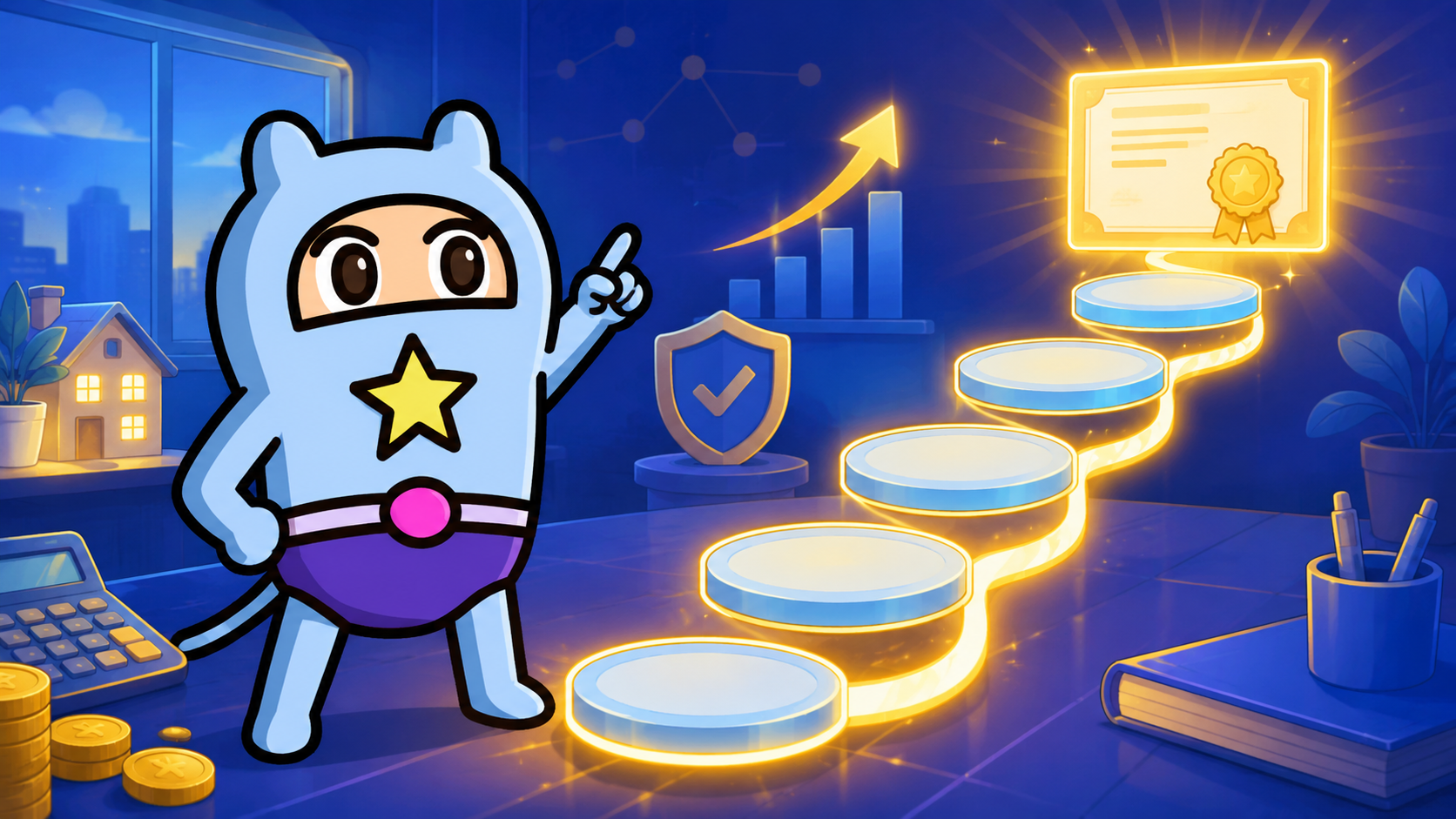
Five past exams from the Level 2 Financial Planning Technician test. Every question comes with an explanation, and you can answer one at a time or take a full set. Questions you get wrong come back from the AI teacher around the time you start to forget them.
See the FP Level 2 past exam course →AI LEARNING PARTNER
Move learningfrom passive to“dialogue.”in.
Ask a question the moment you do not understand something. The AI Teacher points to the exact part of the material and explains it in a way that fits each learner. You can set the teacher's name, personality, and teaching style for each of your company's channels.
- Answers based only on the course materials
- Explains with sources shown
- Records where you got stuck
- Suggests when to review
LearnerIn which cases does this rule apply?
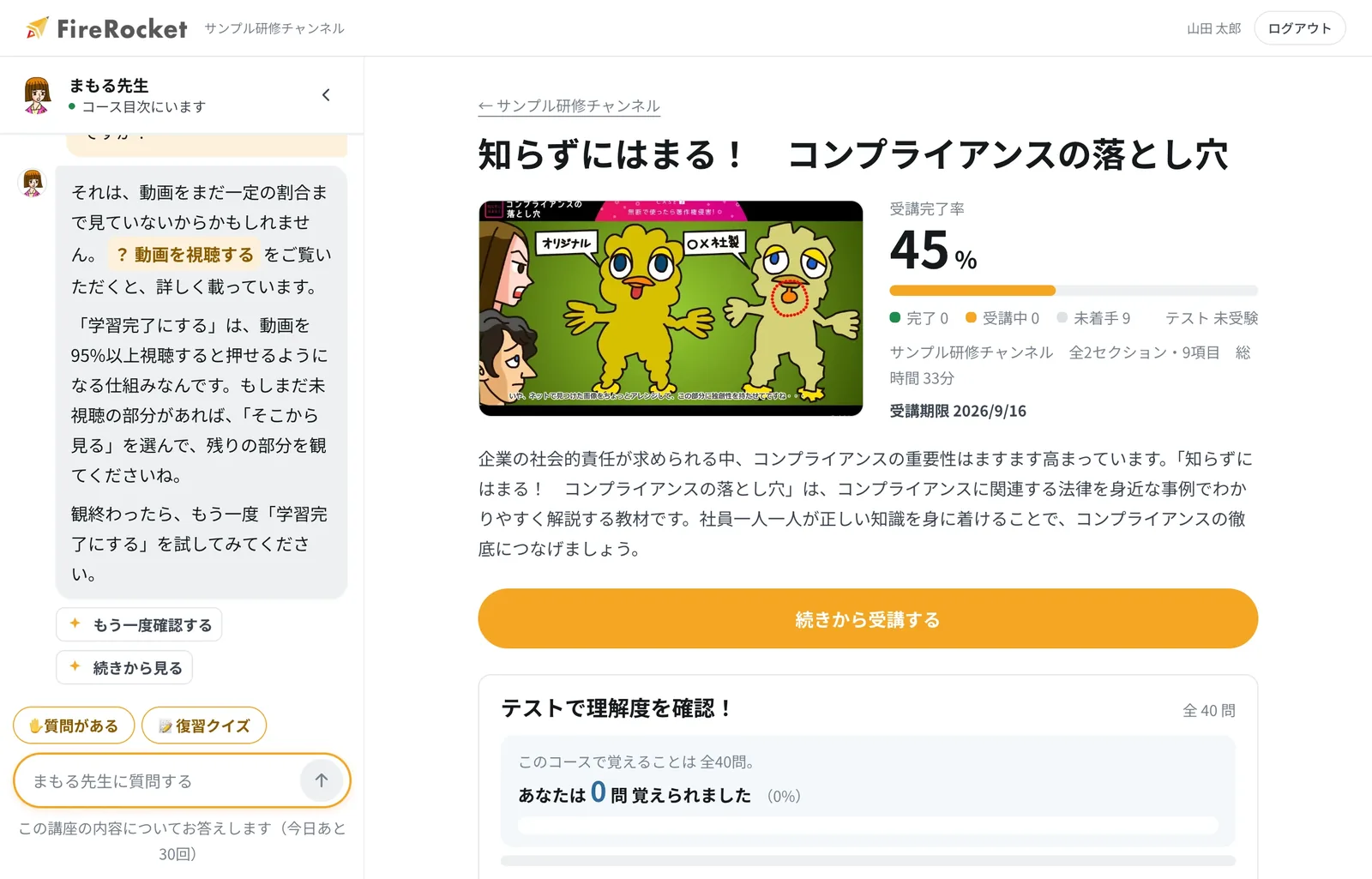
MAMORULet me explain with an example, based on the relevant part of the material.
01
Ask right away when you do not understandYou can ask the AI Teacher without leaving the video or slide you are watching.
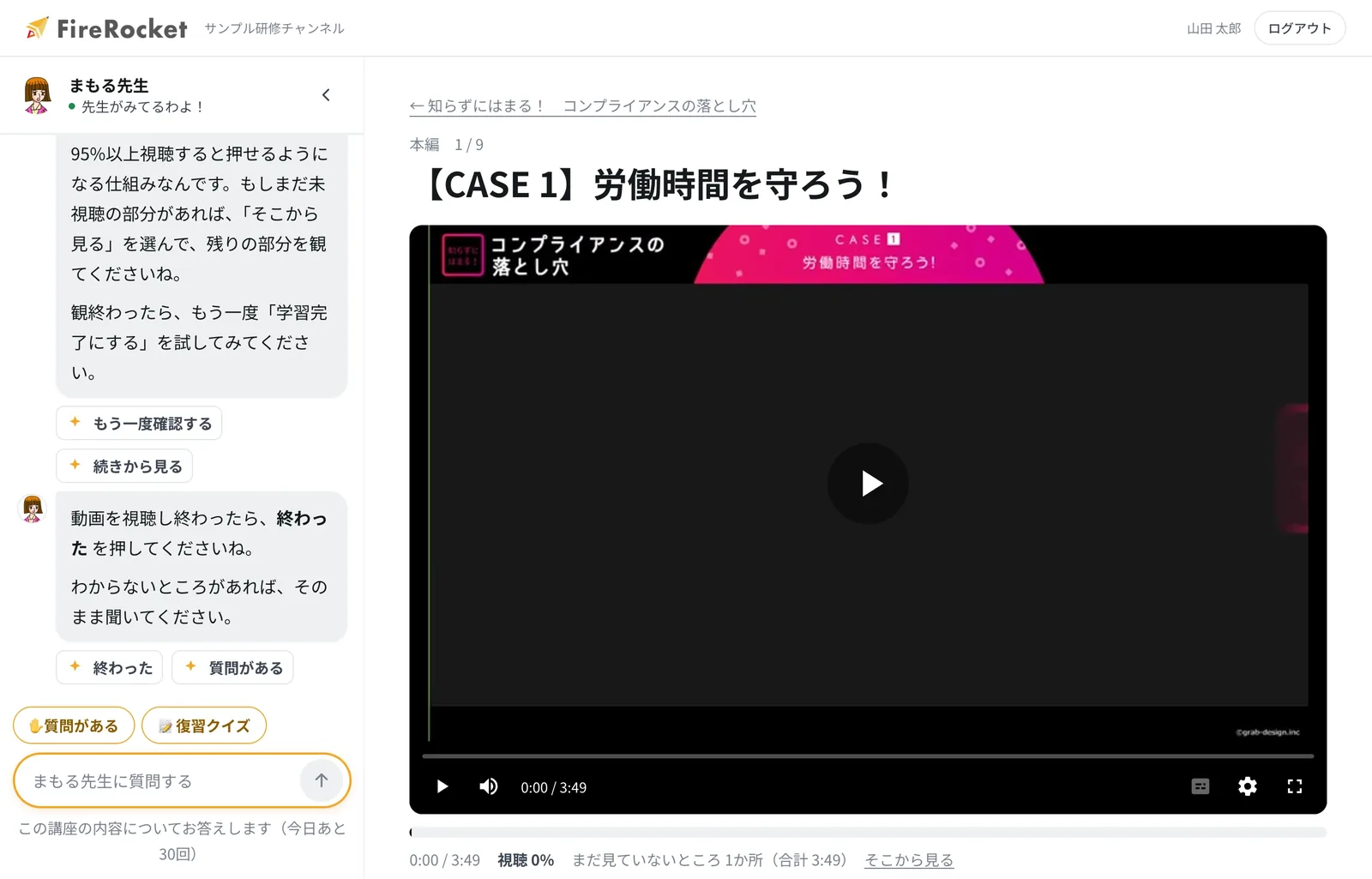
02
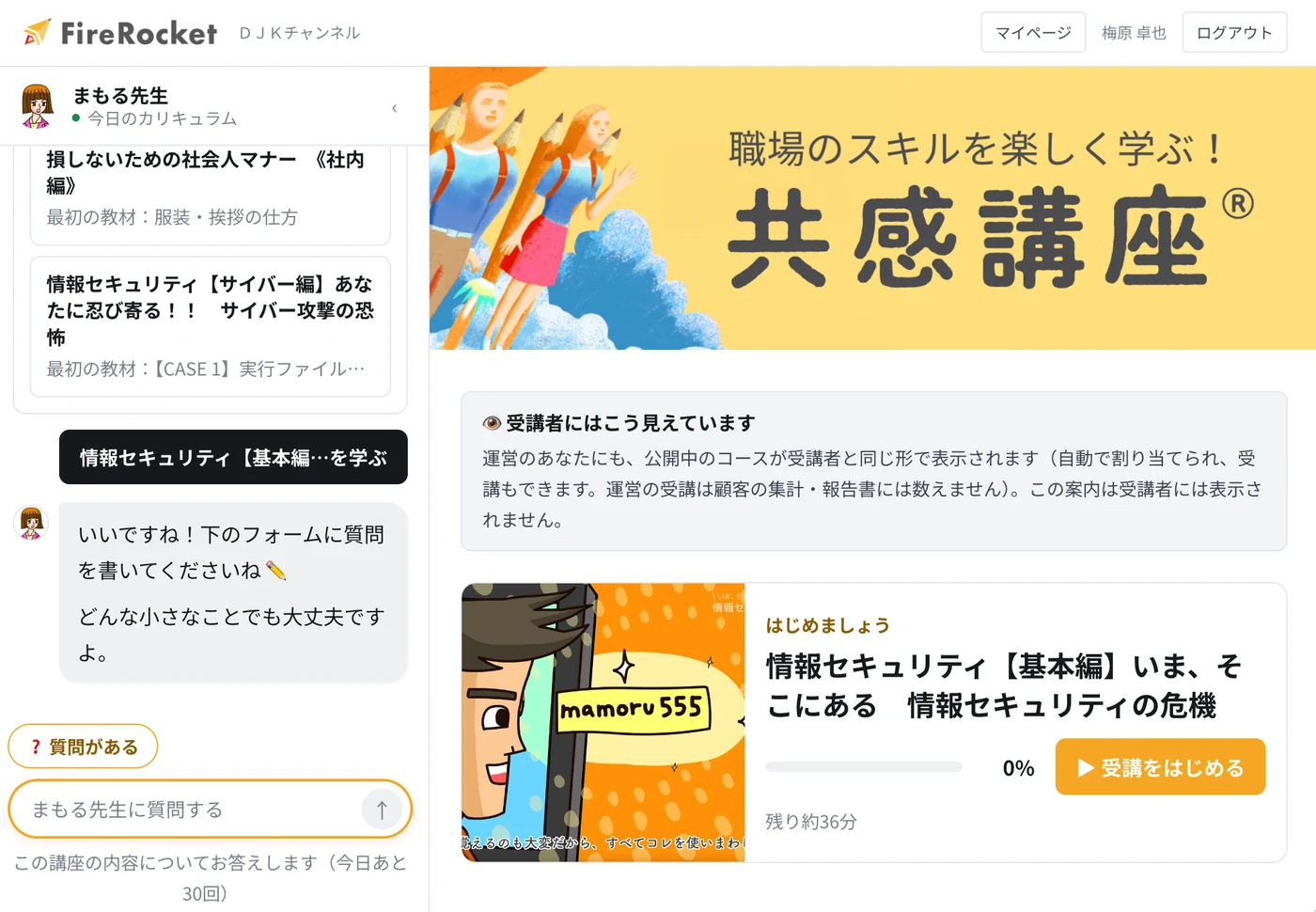
Answers based on the materials, with sourcesIt shows a link to the material behind the answer, so you can check it on the spot.
03
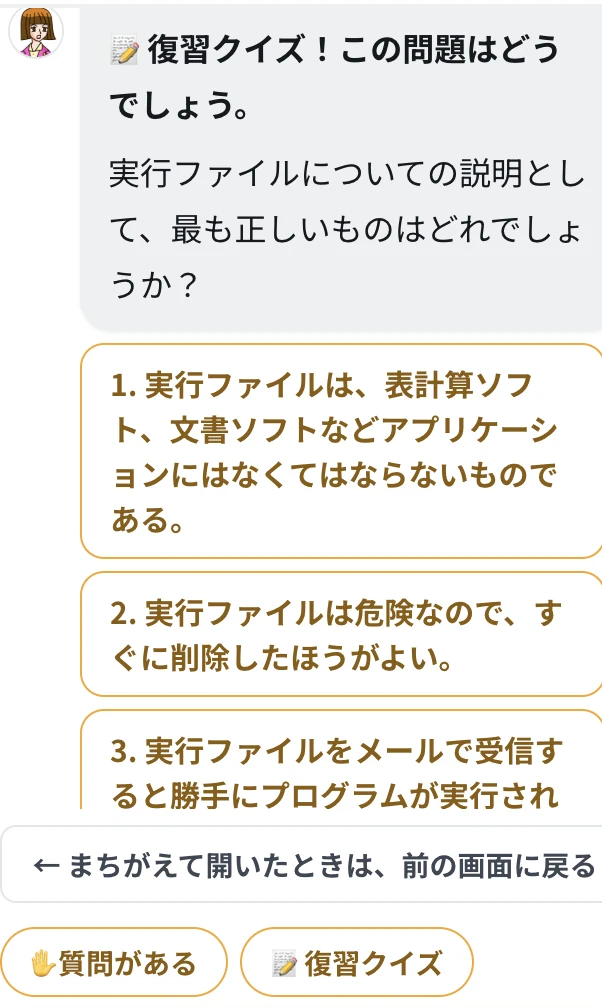
Records where you got stuck and suggests reviewIt remembers the questions you got wrong or were unsure about, and shows them again around the time you may forget.
AI ANIMATION GENERATOR
Make materialsin 5 minutes.
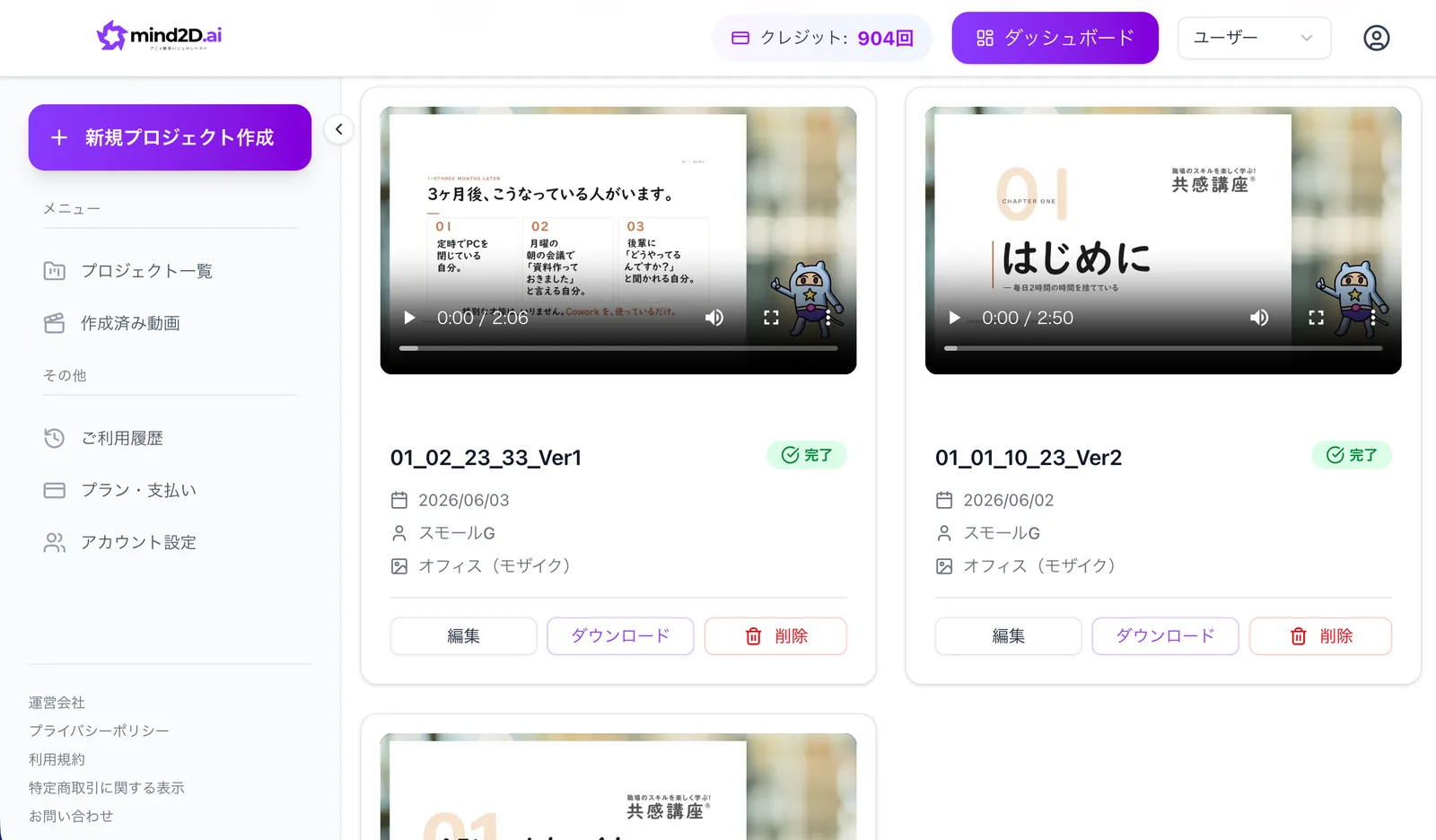
Turn PowerPoint or PDF files into animated videos with narration. AI writes the script and structure, so you can make in-house materials quickly, even without special knowledge.
Just upload your slides
Script and structure made automatically
A virtual navigator explains it
Works for many purposes
ANIMATION TRAINING
Learn workplace skills
in a fun way.
共感講座®
Animation makes it feel like your own storyStrong characters and stories that change how people think.
High-quality content checked by expertsMaterials based on expert knowledge in each field.
Used by large companies共感講座® and related services are used by 250社以上, including large companies and government offices, with more than 60万人 learners in total (figures from the brochure).
A design that boosts learningComprehension checks and repeated study help it stick.
Customization and original productionMade to fit your company's own issues and rules.
PRICING
You pay onlyafter you hand it out.
The price is based onthe number of learners who actually use it (number of IDs). While you are getting ready, it is free. Billing starts in the month you hand it out to learners and they begin studying.
Opening your company account, uploading materials, and checking it inside your company. No credit card needed.
The channel fee includes your learners, and the more people you add, the lower the price per person. We will show the amount for your headcount in a quote.
There is no extra charge if you use only your own materials. It is added only when you deliver 共感講座®.
Example: 30 people (your own materials only)24,200 yen per month(tax included)
Calculate the price for your headcountOpening your company account, uploading materials, and checking it inside your company are free. Charges start after you begin delivering to learners.
※ This amount is for up to 30 learners using only your own materials. From 31 people, an amount is added for each person, and if you use 共感講座®, there is a separate amount added per person.
※ We will show the exact amount in aquote (we email you a PDF right away). We also accept payment by invoice. If you already use another LMS, or if you have many people, please talk with us.
Create your admin page for freeCalculate the priceWe send your quote as a PDF right away (ready to use as is for your internal approval)
IMPLEMENTATION SUPPORT
From setup to daily use,
we stay with you.
We carefully check your issues and goals.
We suggest the right content and the best way to run it.
We help you set up viewing and all the settings.
We stay with you, from measuring results to making improvements.
CUSTOMER VOICE
What our customers say.★★★★☆
共感講座® “Compliance Pitfalls You Fall Into Without Knowing” has a course rating of 4.3 from 15,000 ratings on Udemy.
The illustrations and animations are simple, so the key points stay in your mind.
Viewer review (rating 5.0)Easy to understand and fun! Great for new employee training, and also useful for veterans to review what they know.
Viewer review (rating 5.0)Each part is short, and the animated examples make it easy to take in.
Viewer review (rating 5.0)Even for things you think you already know, it shows you “I didn’t know that” in unexpected places. It’s also easy to understand.
Viewer review (rating 4.5)The characters are fun.
From comments in our brochureThe content is simple, easy to follow, and moves at a good pace.
From comments in our brochureCreate your admin page for freeCalculate the priceNo card needed, about 1 minute. You can see the price right away.
FAQ
Frequently Asked Questions
How much does it cost?
For individuals, sign-up is free, and you can watch the first lesson of each course for free. Unlimited viewing is 3,300 yen per month (tax included, AI Teacher included). For companies and organizations, we provide a quote based on the number of user IDs.
Can I try it for free?
Yes. For companies, creating a corporate account, uploading materials, and checking them inside your company are all free. Charges start only after you release the courses to learners and they begin studying. No credit card is needed. For individuals, sign-up is free, and you can watch the first lesson of each course right away.
Is there a fee to create a corporate account or upload materials?
No. Creating a corporate account (about 1 minute, no card needed), uploading videos, PDFs, slides and quizzes, and reviewing them inside your company are all free. Charges start when you release the courses to learners and they begin studying, based on the number of users. You can try the real screens with your own materials and name list before asking for internal approval.
Can we use it in languages other than Japanese, such as English or Thai?
Yes. The FireRocket screens (menus, buttons, and the AI Teacher's words) support 11 languages: 日本語, English, 繁體中文, 简体中文, ไทย, Tiếng Việt, Bahasa Melayu, Bahasa Indonesia, Français, Español and Português. Each learner can choose their own language. Overseas offices and multinational teams can run training on one LMS.
Can the course materials themselves be translated?
Yes. This is separate from the 11-language screen support (included as standard). Translation of course materials (course names, descriptions, questions, explanations, and video subtitles) is a paid option. You can order it language by language. We use a two-step process: an AI draft first, then a review by a speaker of that language. You always check the result before it is published.
Can individuals use it too?
Yes. You can sign up with only an email address and watch the 共感講座® e-learning courses without limit on a monthly plan. You can cancel at any time.
Can I cancel at any time?
Yes. For individual plans, you can cancel any time from "Plan and contract" on My Page. After canceling, you can keep using the service until the end of the period you have already paid for.
What kinds of companies choose FireRocket?
FireRocket (this LMS) is used by JAL Mileage Bank, Chubu Electric Power Miraiz, Otsuka Pharmaceutical, DJK Corporation and others, 22 companies in total. Our 共感講座® materials and related services are used by 250社以上, including large companies and government offices, with more than 60万人 learners in total and a learner satisfaction rate of over 95% (figures from our brochure, 2026年9月1日時点). Companies choose us for the easy-to-understand anime materials and the learning experience supported by the AI Teacher.
Can we switch from the LMS we use now?
Yes. We support bulk registration of learner lists by CSV, importing materials, importing test questions from Excel/CSV, and importing SCORM 1.2 materials (⚠️ SCORM 2004 is not supported). We have already handled migration for 4 companies (for two of them: 18 courses, 150 materials and 321 questions in total, 2026年9月1日時点). You can keep using login IDs in any format your company decides. Please note that automatic transfer of past learning records is not available now, so please contact us if you need it.
Is it easy to use?
Learner satisfaction is over 95% (figure from our brochure). It is built with on-site ease of use first: large text, simple screens, and access from a printed course notice (QR code), so even people who are not used to computers will not get lost.
What kinds of materials are available?
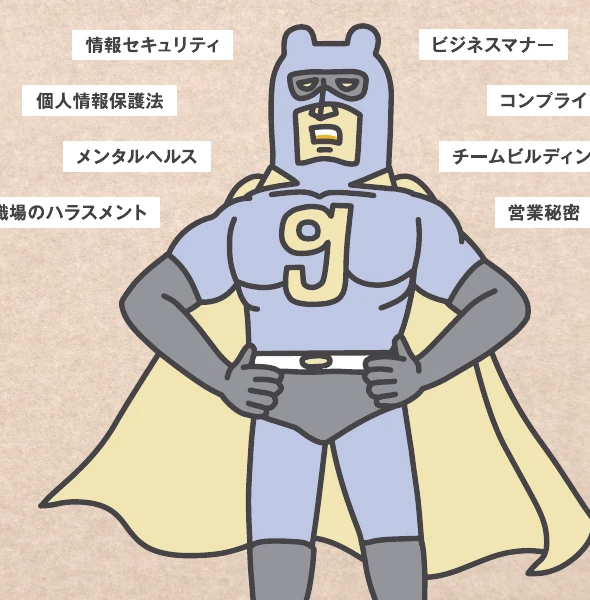
We offer 共感講座®, training materials that teach through anime. Topics include information security (from basics to AI use), compliance, harassment prevention, the Personal Information Protection Act, business manners, and team building.
Do you have information security materials?
Yes. There are 5 series: Basics, Cyber, How Attacks Work, SECURITY ACTION, and AI Use. All of them include anime materials plus a quiz. They can also be used for staff training at companies aiming to make the IPA SECURITY ACTION declaration.
I am looking for compliance materials.
We offer "Traps in Compliance You Fall Into Without Knowing." It is an updated version covering the 2026 changes to the law on fair subcontracting with small and medium-sized companies and to trade secret rules. Case-study anime and quizzes help learners see the topic as their own issue. On Udemy, this popular course has a rating of 4.3 (15,000 ratings).
Do you have a course on business manners?
Yes. "Business Manners So You Don't Lose Out" comes in an Inside-the-Company version and an Outside-the-Company version. It is part of a popular series taken by more than 40,000 people on Udemy, and you can use it as-is for new employee training.
Can we run harassment prevention training?
Yes. With "Your Behavior: 'That's Harassment,'" learners watch case-study anime and then check their understanding with a quiz.
Do you have materials on the Personal Information Protection Act?
Yes. "Let's Learn the Personal Information Protection Act: Key Points" is available. One strength of FireRocket is that materials can be updated and delivered when the law changes.
Do you have team building materials?
Yes. "Team Building Through Case Studies" (for beginners, anime) is available. You can use it as a first step toward a workplace where the team learns together.
Can we create our own custom materials?
Yes. You can create videos, slides and quizzes yourself from the admin screen, and build custom training that matches your internal rules and work manuals. Test questions can be imported in bulk from Excel or drafted with AI.
Can we make materials even without video?
Yes. You can import PDF files you already have and turn them into slide materials. We also support making materials with AI (turning a PDF into a video).
How does the AI Teacher teach?
It is like a private tutor that stays on the learning screen and teaches you through conversation. When you finish a video, it speaks to you, answers what you did not understand right away, checks your understanding, and then guides you to the next material.
I am not good at studying alone. Can I keep going?
FireRocket is e-learning where you do not study alone. The AI Teacher speaks to you based on your progress, encourages you, and calls you back if you stop studying for a while. That makes it easier to keep going to the end.
Are the AI Teacher's answers accurate?
The AI Teacher answers using only the materials of the course you are taking, and shows the source (which material and where). It is designed not to answer things that are not in the materials, so it will not confuse you with wrong information unrelated to your work.
Can it stop people from moving on without understanding?
Yes. It shows where a learner got stuck and records their understanding. Review quizzes timed to the forgetting curve help make learning stick. It is designed so training does not end as "I just watched it."
Can it be used to prepare for qualification exams?
Yes. It has features for exam study: past questions organized by year, field and difficulty, timed practice, score trends, and re-asking questions you got wrong (forgetting curve).
Can it support exams like the real estate agent exam, the bar exam, or the first-class architect exam?
Yes. It is already used for qualification study such as the real estate agent exam. For study centered on past questions, like the bar exam or the first-class architect exam, you can also manage which version of the law applies and organize questions by field.
Do learners need an email address?
No. Administrators can register login IDs in bulk, and you can hand out printed course notices with a QR code. It works as-is at workplaces where many on-site staff have no email address.
Can it handle several thousand users?
Yes. It is already used at companies with several thousand users, and it is built for large-scale operation: management by organization, visible progress, and Excel output of monthly and yearly reports.
Isn't it hard work to manage learning status?
The admin screen shows everyone's progress. Reminders to people who have not started, and carrying over course deadlines, can be automated. Monthly reports come out in Excel with one button.
Can we issue certificates?
Yes. You can issue two types, set per course: a completion certificate for people who finish the course, and a pass certificate for people who pass the test (they can also be printed or saved as PDF).
I am worried that videos may not play on our company network.
We provide a connection check page that needs no login. You can check on the spot whether the connections needed for learning work from your company network, and text you can pass to your IT department is created automatically.
Can I take courses on a smartphone?
Yes. Open the QR code in your course invitation, and you can study on a smartphone while talking with the AI teacher.
Is it secure?
The service is run by GRAB DESIGN INC., which holds ISMS certification (ISO/IEC 27001). Videos are delivered with signed links to prevent them leaking outside your company, and card details are entered on the payment company's (Stripe) screen, so they never pass through our site.
READY TO LAUNCH?
Faster than reading a brochure:just try it yourself.
Company accounts and course uploads are free. You can try the real admin screen.
Create your admin screen for free →Request materials / Contact us
No card needed · ready in about 1 minute